
Interactive electronics resource
Simple Power Supply Kit Instructions
Build, understand and experiment with the Simple Power Supply Kit. This resource brings the original kit material into the current MitchElectronics format with the schematic, circuit explanation, component and PCB information, construction guidance, troubleshooting and practical ideas where available.
Introduction
When working with electronics, there will be times when a specific voltage supply will be needed. For example, modern microcontrollers use 3.3V as their supply voltage and I/O voltage, while many MitchElectronics kits use 5V as their supply voltage. But these voltages cannot be generated from common batteries as batteries typically come in multiples of 1.5V, and this makes powering projects challenging at times. There are even times when a negative voltage is needed, and this often requires the use of two batteries in series with the middle connection as the ground.
To get around all these problems, the Simple Power Supply takes a single positive 9V input (from a PP3 battery) and produces 9V, 5V, 3.3V, and -9V that can all be used to power external circuits. The Simple Power Supply does have some limitations, but works perfectly for MitchElectronics kits as well as low powered projects!
Schematic
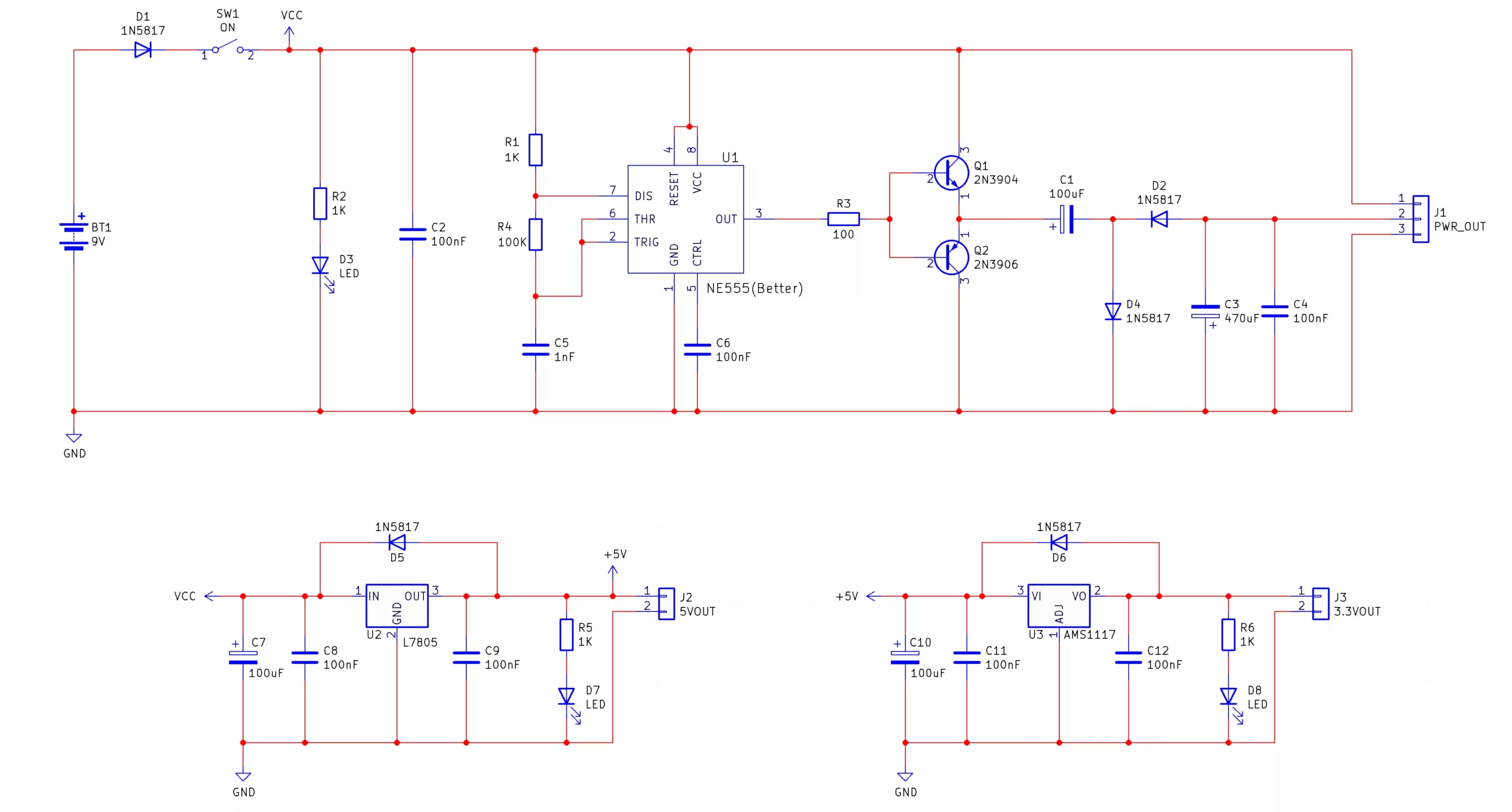
How does the simple power supply work?
Negative Voltage Generation
While many circuits can be powered directly with a battery some are not as easily powered. For example, some MitchElectronics kits require a specific voltage supply such as the 4017 Beacon which needs a 5V source (as the buzzer is rated for 5V operation only). In these scenarios, a power supply circuit is needed which can produce the required voltage and this is where the Simple Power Supply comes in.
The Simple Power Supply is made up of three main circuits; a negative voltage generator, a 5V regulator, and a 3.3V regulator. The negative voltage generator consists of a 555 astable oscillator that drives a push-pull amplifier (Q1 and Q2) which then drives a capacitor/diode network which converts the square wave pulses into a negative voltage. To learn how this works you can look at the Negative Voltage Generator kit here which describes in detail capacitive coupling! The output of the negative voltage generator produces a negative voltage that is approximately the voltage of the input (in this case, 9V) and this voltage can be used for circuits that require dual rails (such as many op-amp circuits).
Regulators
The Simple Power Supply also has two fixed voltage outputs which can be used with most modern circuitry; 5V and 3.3V. The 5V is generated with the use of a 7805 regulator IC while the 3.3V is generated with the use of an AMS1117 (some kits may be shipped with the LM1117) which converts the 5V output from the 7805 into 3.3V. Each regulator circuit has as polarised capacitor for smoothing (C7 and C10) and two decoupling capacitors (C8, C9, C11, and C12). Each regulator also has a protection diode that prevents the regulators from being damaged by ESD and other external voltage spikes.
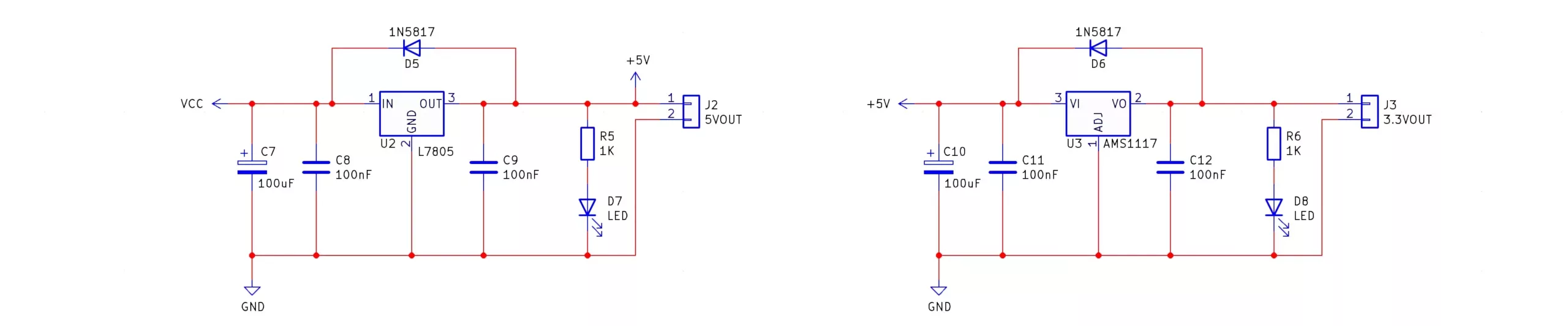
The 3.3V regulator used in this kit is an SMD type which can be tricky to solder however this is intentional. One of the aims of this kit is to show that SMD components can be used in DIY projects and makers should not be dissuaded from using them as some manufacturers are starting to phase out through-hole parts. SMD parts are not only much smaller than their through-hole counterparts but are often cheaper too which makes them a viable solution for DIY enthusiasts.
Note - It is recommended that any power output does not exceed 100mA in current consumption otherwise the regulator supplying the current will get hot!
Project ideas
Bench Power Supply
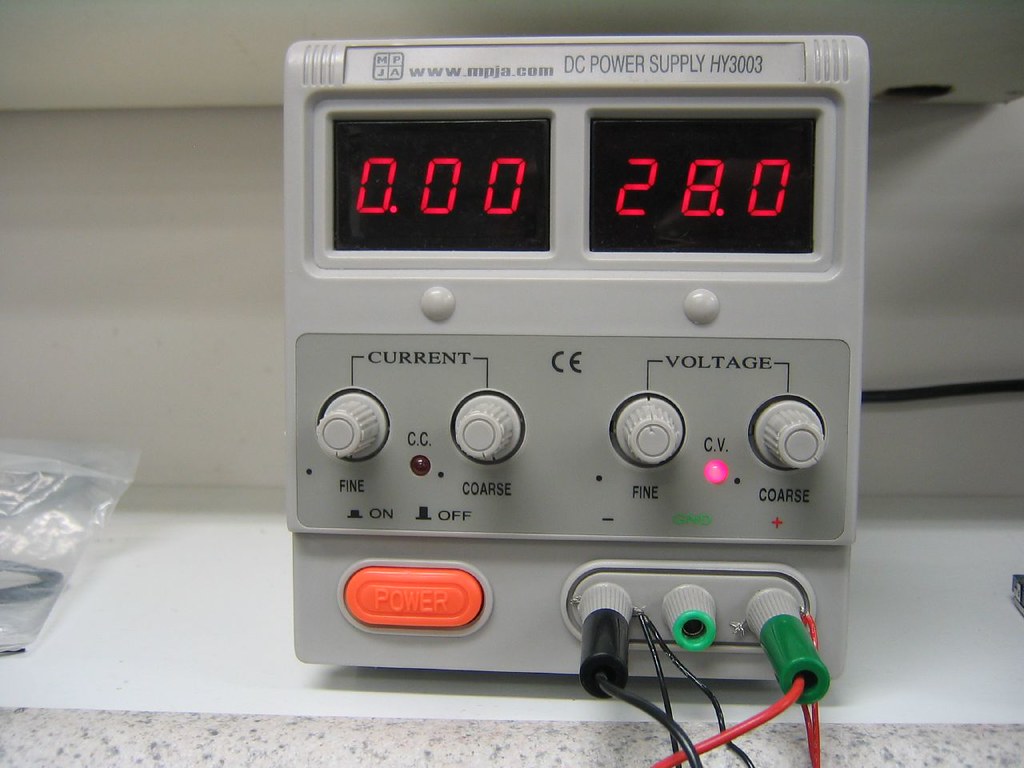
If this kit is combined with the AC-DC 5V Regulator kit and a toroid transformer, it's possible to create a fully operational bench power supply that can be used to provide fixed voltages as well as a negative source. Furthermore, a cheap volt and amp meter can be used to measure the power draw from devices, and using fused outputs will protect your circuit from unintentional damage.
Portable Power Supply
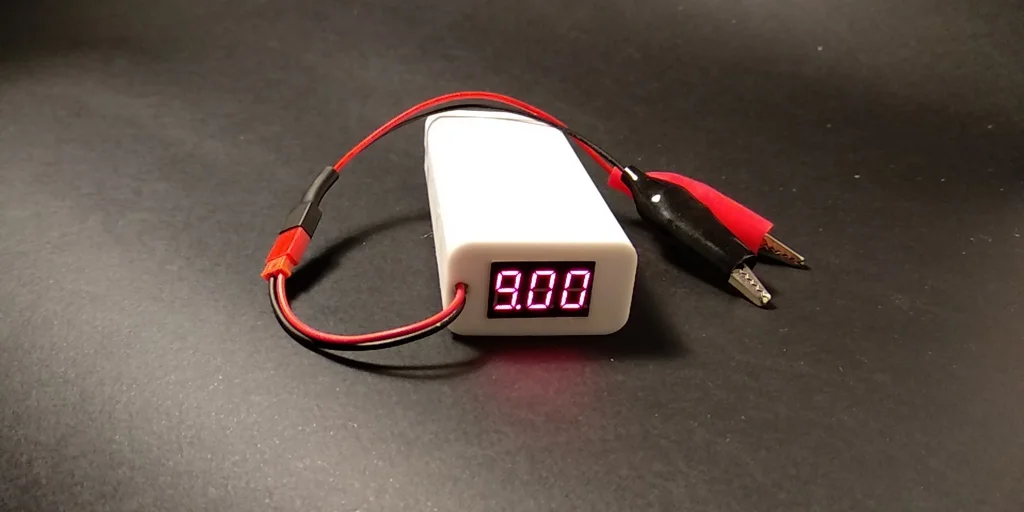
Combining the Simple Power Supply with a USB charger and battery bank can create a portable power supply able to power numerous remote projects. If installed into a briefcase along with a multimeter, Raspberry Pi computer, and the Simple Function Generator, a complete portable workshop can be created that allows for remote work.
Try it yourself
Circuit simulation
Not available in mobile view
What you need
Component List
| Component | Quantity | PCB Reference |
|---|---|---|
| 8 DIP Socket | 1 | U1 |
| 555 | 1 | U1 |
| 2N3904 | 1 | Q1 |
| 2N3906 | 1 | Q2 |
| 7805 | 1 | U2 |
| AMS1117 | 1 | U3 |
| 100R Resistor | 1 | R3 |
| 1K Resistors | 4 | R1, R2, R5, R6 |
| 100K Resistor | 1 | R4 |
| 1nF Capacitor | 1 | C5 |
| 100nF Capacitors | 7 | C2, C4, C6, C8, C9, C11, C12 |
| 100uF Capacitors | 3 | C1, C7, C10 |
| 470uF Capacitor | 1 | C3 |
| 1N5817 Diodes | 5 | D1, D2, D4, D5, D6 |
| Green LEDs | 3 | D3, D7, D8 |
| Small Slide Switch | 1 | SW1 |
| Red Wire | 3 | 5V, 3.3V, V+ |
| Blue Wire | 1 | V- |
| Black Wire | 3 | 0V |
| PP3 Connector | 1 | BT1 |
| Simple Power Supply PCB | 1 | — |
Inspect the board
Interactive BOM
Board reference
PCB & assembly
The PCB silkscreen and component references should be checked against the component list before soldering each part.
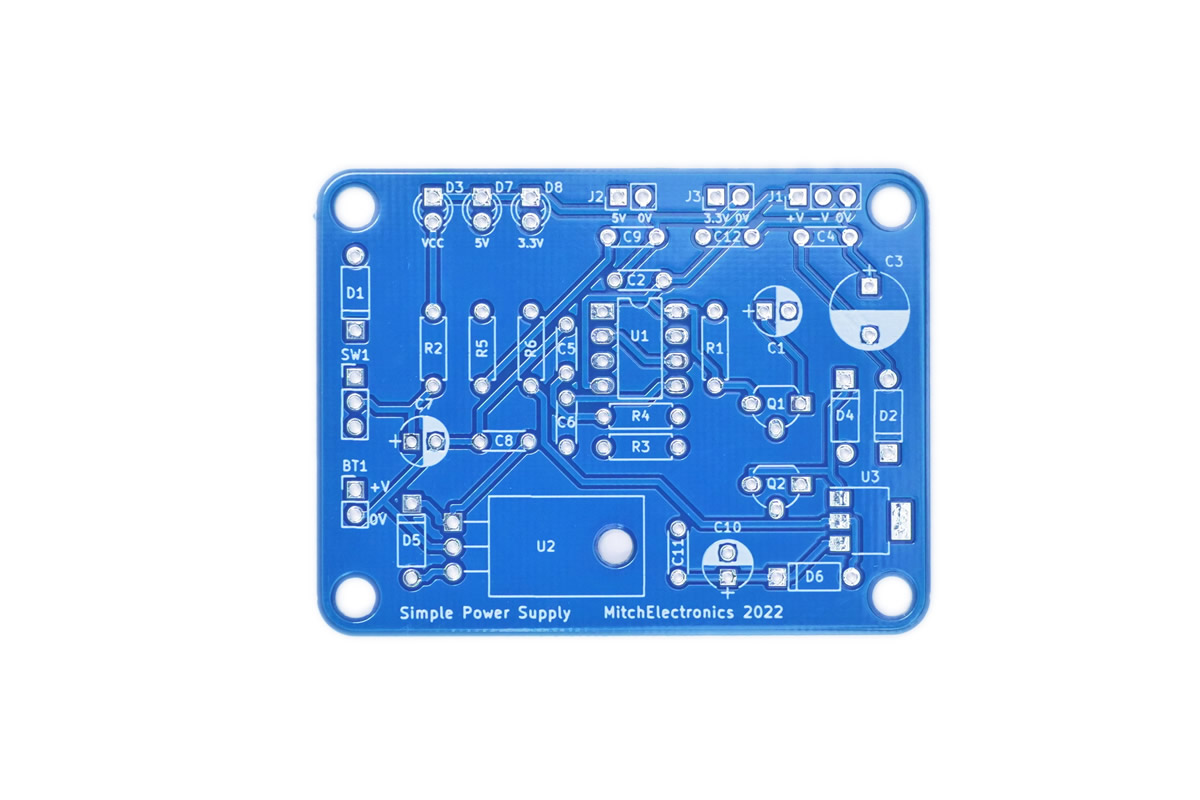
Before applying power
- Check every component against its PCB reference.
- Confirm the orientation of all polarised components and ICs.
- Inspect for solder bridges, unsoldered pads and clipped leads that could cause a short.
- Check that no loose wire or solder debris remains on the board.
Build with confidence
Construction tips
Recommended build order
A reliable way to assemble Simple Power Supply Kit is to work from the lowest-profile components to the tallest. This keeps the PCB easy to access while you solder.
- Fit resistors, links and other low-profile components first.
- Fit small capacitors and diodes, checking polarity where applicable.
- Fit IC sockets and small semiconductors, observing the orientation markings.
- Fit larger capacitors, potentiometers, switches and other controls.
- Fit LEDs, connectors and the remaining taller components.
- Insert socketed ICs only after soldering around the socket is complete.
- Inspect every joint and check for solder bridges before applying power.
Electronics construction guidance
If you are new to kit construction, use the Soldering Guide alongside these instructions. Identify each component before fitting it and compare its reference with the component list and PCB silkscreen.
When it does not work
Troubleshooting
Nothing happens when power is applied
- Confirm the supply is connected to the correct input and with the correct polarity.
- Check that ICs, diodes, LEDs, transistors and electrolytic capacitors are fitted in the correct orientation.
- Compare component values and positions against the component list and PCB reference.
- Inspect for missed joints, dry joints and accidental solder bridges.
The circuit powers up but does not behave as expected
This kit is intended for adjustable regulated power supply. If the output is stuck, unstable or outside the expected behaviour, use the schematic to trace the circuit a stage at a time rather than replacing several parts at once.
Check the components around the part of the circuit responsible for the output or timing first. A misplaced resistor, reversed semiconductor or poor connection can allow a circuit to power up while preventing it from operating correctly.
The circuit works intermittently
Intermittent behaviour is often caused by a marginal solder joint, a loose connector or a component lead that has not been fully soldered. Gently inspect the board with power removed and reflow any joint that looks dull, cracked or incomplete.
If the fault remains, compare the assembled board with the schematic and PCB reference one connection at a time.
Ready to test and experiment?
The Simple Power Supply is great for teaching about power conditioning as well as making an ideal candidate for enclosure design Do not regulate the negative output voltage with a linear regulator. Instead, if regulation of the negative rail is needed, use a switch mode power supply!
Once the board is working, compare its behaviour with the schematic and the explanation above. Try changing only one input, control or permitted component value at a time so you can clearly see what effect that change has on the circuit.